Welcome to Ziaediting.com– The Ultimate Hub for AI Photo Editing Anup Sagar Prompts through ziaediting in 2026
If you are looking for the best tranding AI Photo Editing like Anup Sagar prompts through ziaediting prompts for Google Gemini and ChatGPT, you are in the right place. At Ziaediting.com, we provide the latest and most trending AI photo editing prompts that help you create professional, cinematic, ultra-realistic images. AI photo enhance in just a few seconds. Whether you want gaming profile photos, Free Fire AI edits, cinematic portraits, festival edits, neon backgrounds, or 4K ultra-realistic images, our carefully crafted prompts make the editing process simple and powerful.
Girls sits gracefully against a plain wall bathed in warm natural light
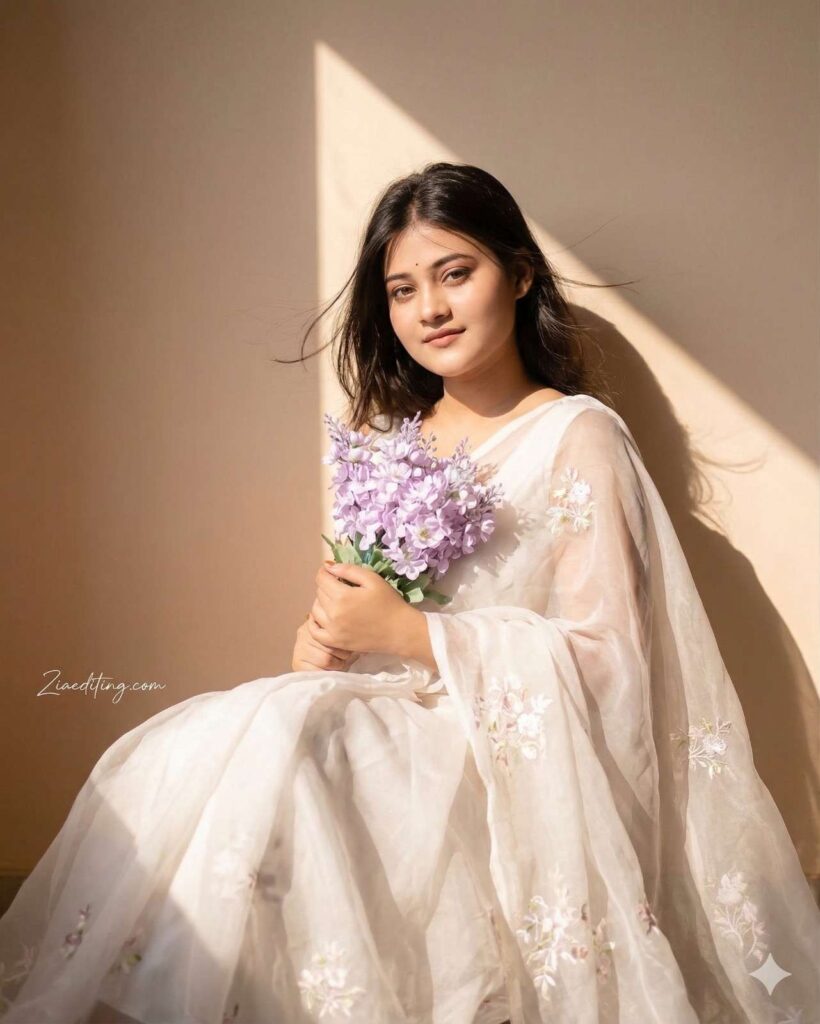
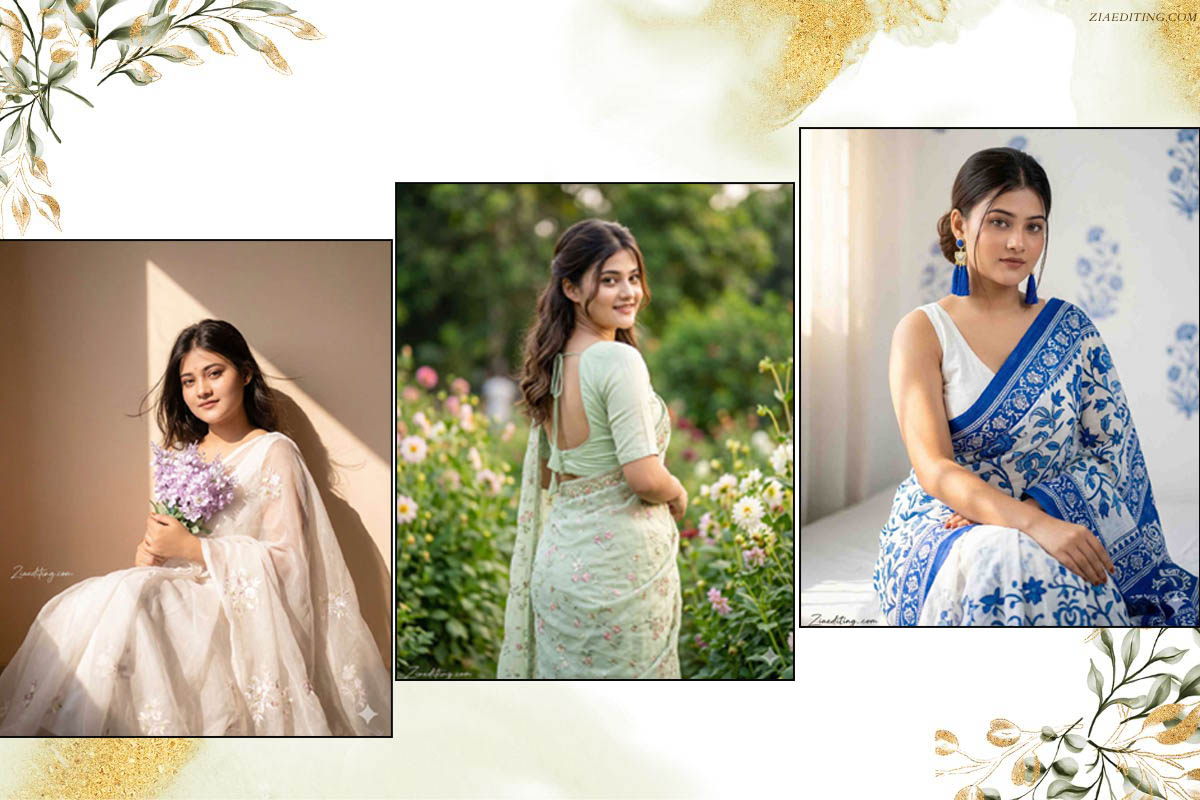
Create A soft, sunlit portrait of [ your face] wearing a flowing sheer .saree with delicate floral white embroidery. She sits gracefully against a plain wall bathed in warm natural light with a triangular patch of sunlight casting artistic shadows. She holds a pastel bouquet of lavenders close to her chest. Her gentle expression, loose hair strands moving slightly, and the dreamy golden glow create a serene, poetic, and romantic. TEXT / SIGNATURE Add “Ziaediting,.com” at the bottom-left corner, HANDWRITTEN SIGNATURE-STYLE typography, thin cursive strokes, small size, subtle premium elegance, white or soft off-white color.
A beautiful young woman standing outdoors in a garden,
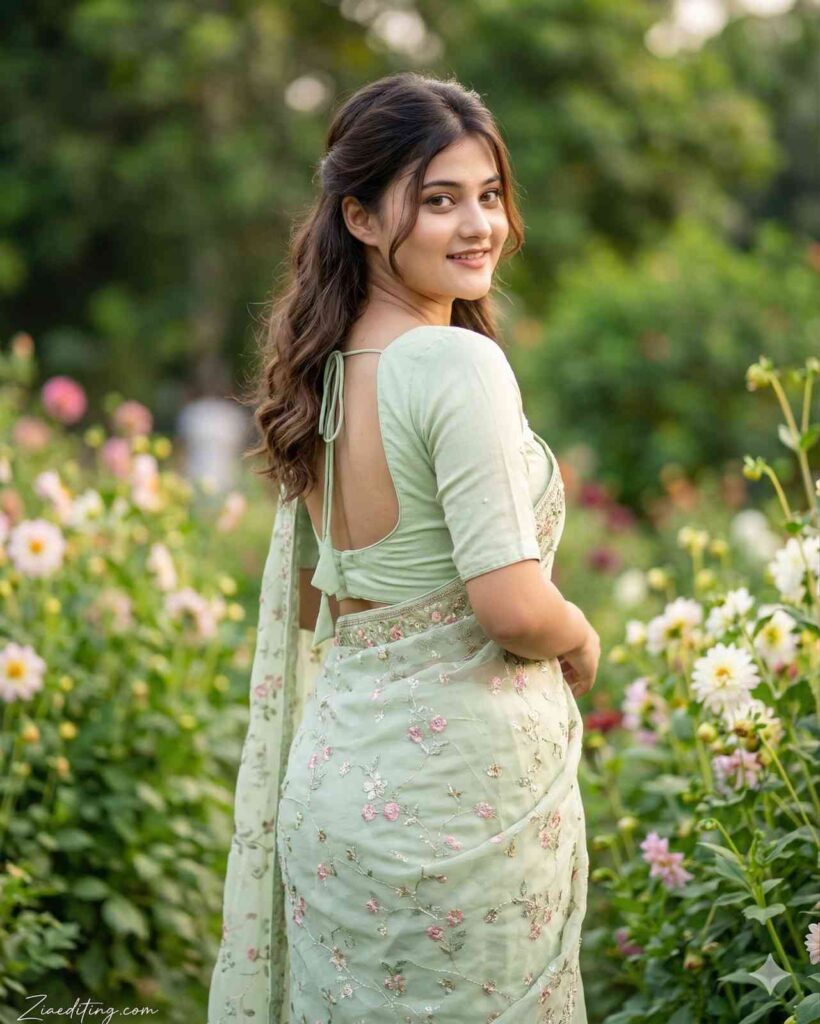
A beautiful young woman standing outdoors in a garden, wearing a pastel light-green embroidered saree. She is posing slightly sideways and looking back over her shoulder with a soft, natural smile. Her saree has delicate floral patterns and a subtle shine. She is wearing a matching half-sleeve blouse with an elegant deep back design tied with strings. Her hair is styled in soft waves, half-tied with loose strands framing her face. The background is filled with lush green plants and blurred foliage, giving a fresh and natural outdoor feel. The lighting is soft daylight, highlighting her glowing skin and giving the whole image a calm, elegant and traditional Indian aesthetic. Ultra-realistic, high resolution, cinematic portrait photography. TEXT / SIGNATURE Add “Ziaediting,.com” at the bottom-left corner, HANDWRITTEN SIGNATURE-STYLE typography, thin cursive strokes, small size, subtle premium elegance, white or soft off-white color.
Hyper-realistic portrait of a 20-year-old Indian girl
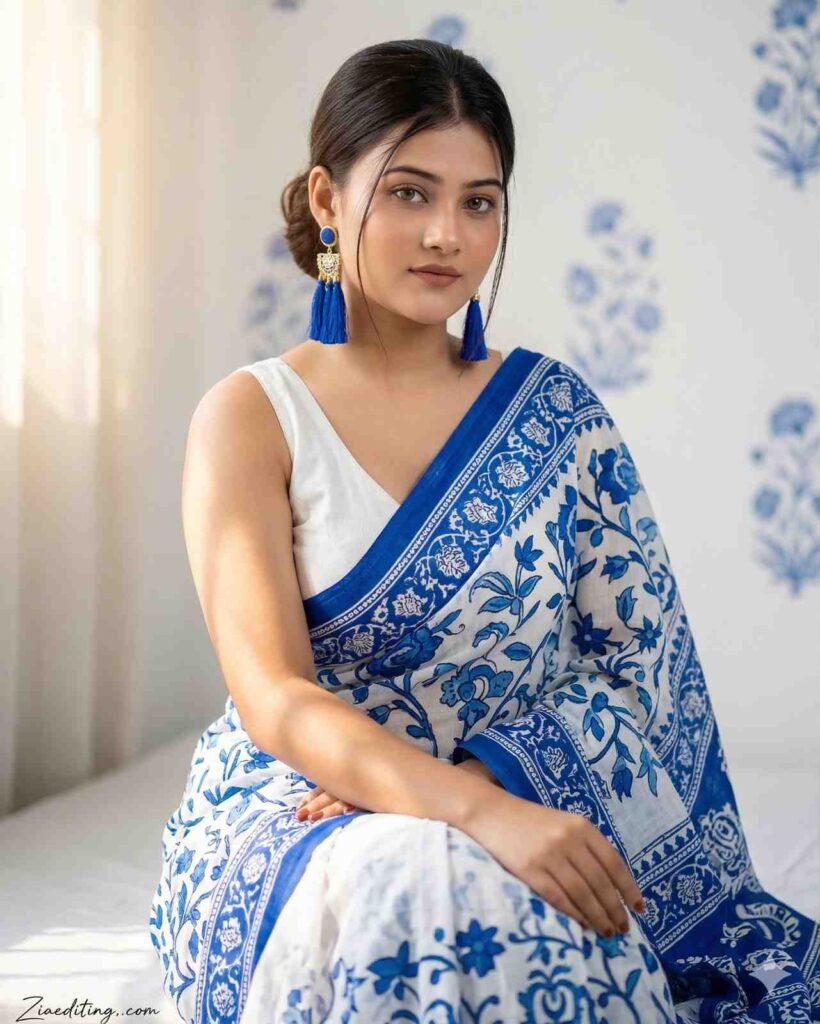
Hyper-realistic portrait of a 20-year-old Indian girl. Face 100% same as reference image, no face change. She sits gracefully with a calm and elegant expression. She wears a white and royal-blue printed saree with delicate floral artwork and traditional motifs. The saree drapes neatly across her shoulder, paired with a sleeveless V-neck white blouse. She wears bold blue tassel earrings with subtle gold detailing. Soft warm sunlight enters from the left, creating natural highlights and gentle shadows on her face and background. The wall behind her is white with soft blue floral patterns, adding a minimal and artistic indoor setting. Ultra-detailed textures, natural skin tone, soft cinematic lighting, high-resolution editorial fashion portrait.TEXT / SIGNATURE Add “Ziaediting,.com” at the bottom-left corner, HANDWRITTEN SIGNATURE-STYLE typography, thin cursive strokes, small size, subtle premium elegance, white or soft off-white color.
girls wear a lavender aesthetic chiffon lehnga
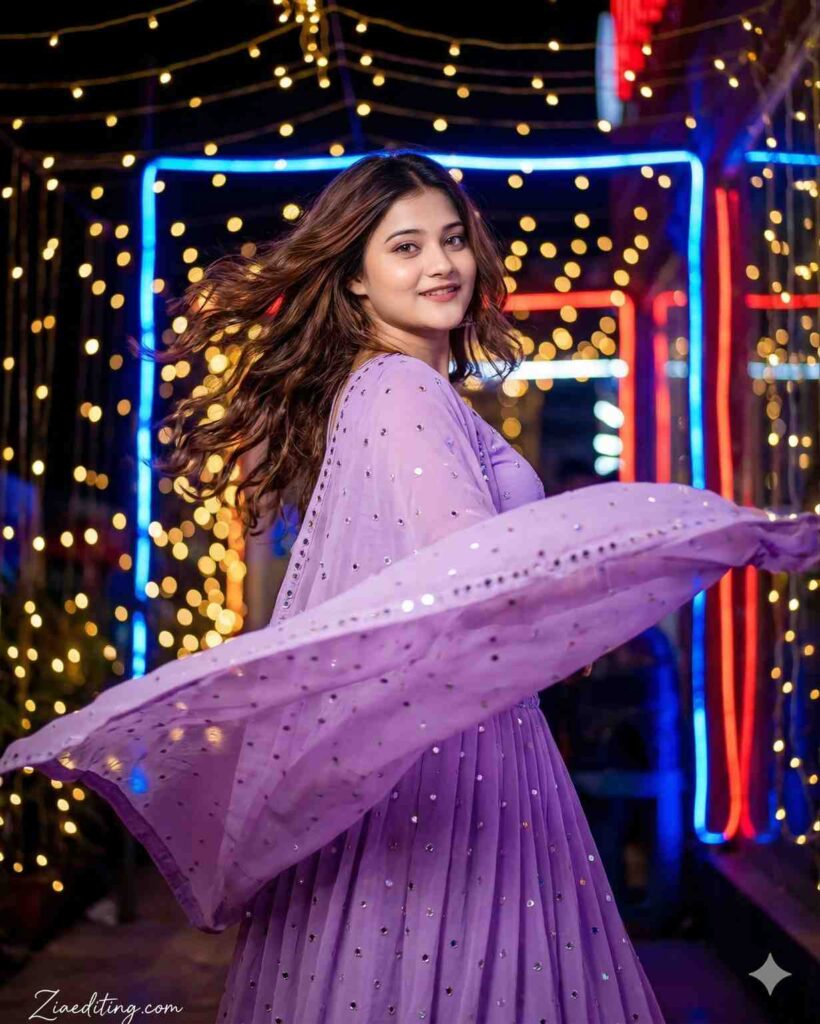
Create a portrait cinematic picture in night background. A young woman face . keep face 100% match with uploaded photo. She wear a lavender aesthetic chiffon lehnga with duppata with small mirror dots move in wind around her . Her brown long wavy hair move in wind and some hairs on her face . She around herself with lehnga and romantic expressions. background is golden lighting and blue and red neon light in night . Her face look clear. TEXT / SIGNATURE Add “Ziaediting,.com” at the bottom-left corner, HANDWRITTEN SIGNATURE-STYLE typography, thin cursive strokes, small size, subtle premium elegance, white or soft off-white color.
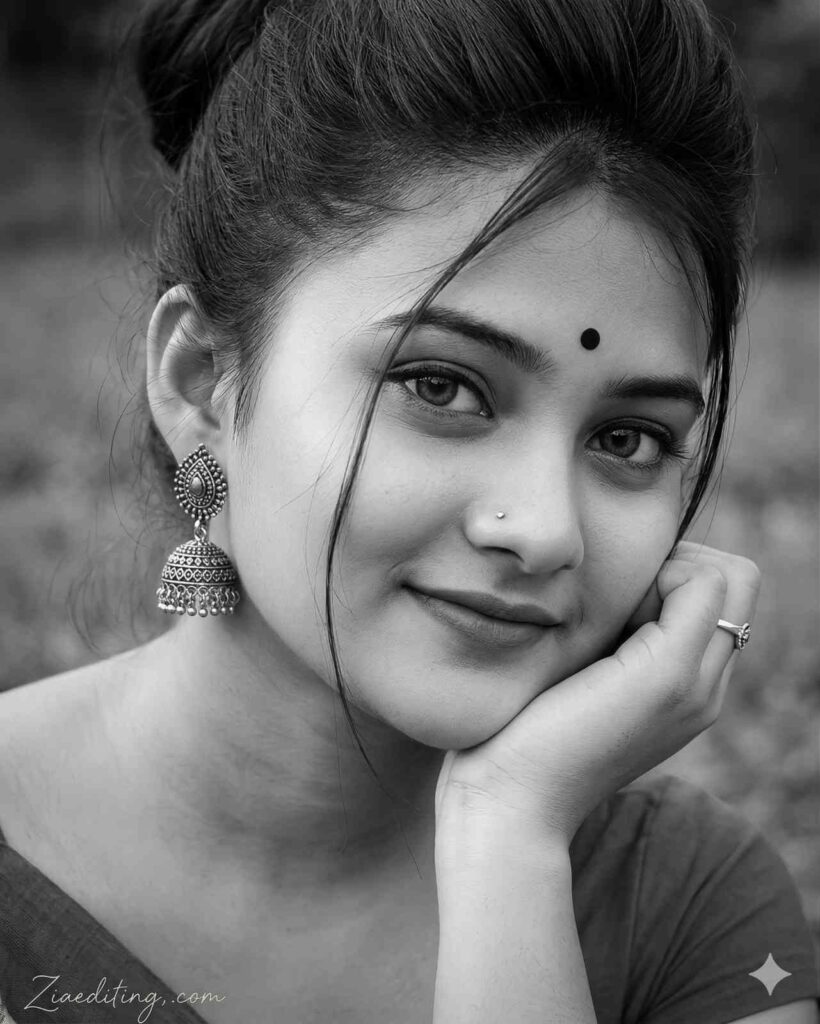
Hyper-realistic portrait of a 20-year-old Indian girl. Face 100% same as reference image, no face change. She sits gracefully with a calm and elegant expression. She wears a white and royal-blue printed saree with delicate floral artwork and traditional motifs. The saree drapes neatly across her shoulder, paired with a sleeveless V-neck white blouse. She wears bold blue tassel earrings with subtle gold detailing. Soft warm sunlight enters from the left, creating natural highlights and gentle shadows on her face and background. The wall behind her is white with soft blue floral patterns, adding a minimal and artistic indoor setting. Ultra-detailed textures, natural skin tone, soft cinematic lighting, high-resolution editorial fashion portrait.TEXT / SIGNATURE Add “Ziaediting,.com” at the bottom-left corner, HANDWRITTEN SIGNATURE-STYLE typography, thin cursive strokes, small size, subtle premium elegance, white or soft off-white color.
With the rapid growth of AI tools like Google Gemini and ChatGPT, AI Photo Editing Anup Sagar techniques through ziaediting have become more powerful than ever. Creating stunning AI-generated photos is now easier, but the real secret behind high-quality results is using the right prompts. That’s why Ziaediting.com focuses on sharing step-by-step guides, detailed prompts, and trending ideas for AI Photo Editing Ziaediting users.
On this website, you will discover high-quality prompts for portraits, gaming profiles, festival photos, Instagram-style edits, cinematic photography, and viral trending AI images. All prompts are specially designed for AI Photo Editing Anup Sagar workflows through ziaediting using Gemini and ChatGPT tools, ensuring sharp details, realistic lighting, and professional-quality outputs.
If you want to stay ahead in the world of AI photo editing trends in 2026, bookmark Ziaediting.com and explore our regularly updated collection of powerful AI prompts, editing tutorials, and creative ideas that help you transform simple photos into stunning AI masterpieces.
How To Use AI Photo Editing Prompts on Gemini and ChatGPT
Using AI Photo Editing Anup Sagar prompts through ziaediting on Gemini and ChatGPT is very simple. Just copy the prompt, upload your image (if needed), and generate stunning visuals within seconds. These prompts are perfect for creating cinematic portraits, travel photography, village scenes, and professional profile images with ease.
Step 1: Open Gemini or ChatGPT
Open Google Gemini or ChatGPT on your mobile phone or computer. Make sure you are logged into your account. Check that the app supports image upload and editing features.
Step 2: Upload Your Photo
Click on the upload or attachment icon to select your photo. Choose a clear image for better editing results. Wait for the image to fully upload before writing your prompt.
Step 3: Copy the AI Prompt
Select a prompt that clearly describes the changes you want. You can use ready-made prompts or create your own. Make sure the prompt includes style, background, and quality details.
Step 4: Paste the Prompt
Paste the copied prompt into the chat box. Ensure your image is already uploaded along with the prompt. You can also slightly modify the prompt to fit your specific photo.
Step 5: Generate the Image
Press send or generate to start the editing process. Wait a few seconds while the AI processes your request. Review the output and decide if further changes are needed.
Step 6: Download and Share
Download the edited image to your device. Check the quality before sharing it anywhere. Share your final image on social media or with others easily.
Using these prompts on Gemini and ChatGPT allows anyone to create stunning AI photos without advanced editing skills. Just copy the prompt, upload your photo, and let the AI generate beautiful cinematic, travel, mountain, or professional-style images in seconds.
For more trending AI photo editing prompts in 2026, keep visiting Ziaediting.com where we regularly share the latest and most powerful prompts for creators and editors. 🚀
Benefits of AI Prompts for Photo Editing
AI prompts have completely transformed the way people create and edit images. With tools like Google Gemini and ChatGPT, anyone can generate professional-quality photos simply by using the right prompt. Instead of spending hours editing manually, AI prompts allow creators to produce stunning visuals in just a few seconds. Here are some of the main benefits of using AI prompts for photo editing.
- Fast and Time-Saving Editing
AI tools like Google Gemini and ChatGPT can edit photos within seconds. You don’t need to spend hours using complex software. Just give a prompt and get instant results.
- No Professional Skills Required
Anyone can use AI photo editing without technical knowledge. Simple text instructions are enough to make changes. It is perfect for beginners and non-designers.
- High-Quality and Realistic Results
AI can enhance images with sharp details and realistic effects. It improves lighting, colors, and overall quality automatically. Results often look professional without manual effort.
- Endless Creative Possibilities
You can try different styles like cartoon, cinematic, or vintage. AI allows unlimited experimentation with ideas. Your creativity is the only limit.
- Perfect for Social Media and Profiles
Edited photos look attractive and eye-catching. Great for profile pictures, posts, and branding. Helps you stand out on platforms like Instagram and Facebook.
- Consistent and Professional Look
AI maintains a uniform style across multiple images. Useful for business, portfolios, or personal branding. Gives a clean and professional appearance every time.
Final Words
AI photo editing is evolving rapidly, and AI Photo Editing Anup Sagar through Ziaediting is becoming one of the most searched trends in 2026. In this article, we shared powerful prompts to help you create cinematic portraits, travel photos, mountain landscapes, village scenes, and professional edits easily.
At Ziaediting.com, our mission is to provide the best AI Photo Editing Ziaediting prompts, tutorials, and creative ideas so that beginners and professionals can generate unique and high-quality images quickly.
If you found this article helpful, bookmark Ziaediting.com for more AI Photo ziaediting prompts likes Anup Sagar prompts, trending edits, and creative inspiration.
Start using these prompts today and create stunning AI images that stand out. ✨
Start experimenting with these prompts today and create stunning AI photos that stand out from the crowd. ✨