Welcome to Ziaediting.com– The Ultimate Hub for AI Photo Editing Anup Sagar Prompts through ziaediting in 2026
If you are looking for the best tranding AI Photo Editing like Anup Sagar prompts through ziaediting prompts for Google Gemini and ChatGPT, you are in the right place. At Ziaediting.com, we provide the latest and most trending AI photo editing prompts that help you create professional, cinematic, ultra-realistic images. AI photo enhance in just a few seconds. Whether you want gaming profile photos, Free Fire AI edits, cinematic portraits, festival edits, neon backgrounds, or 4K ultra-realistic images, our carefully crafted prompts make the editing process simple and powerful.
The scene depicts a traditional Bhohag Bihu night celebration
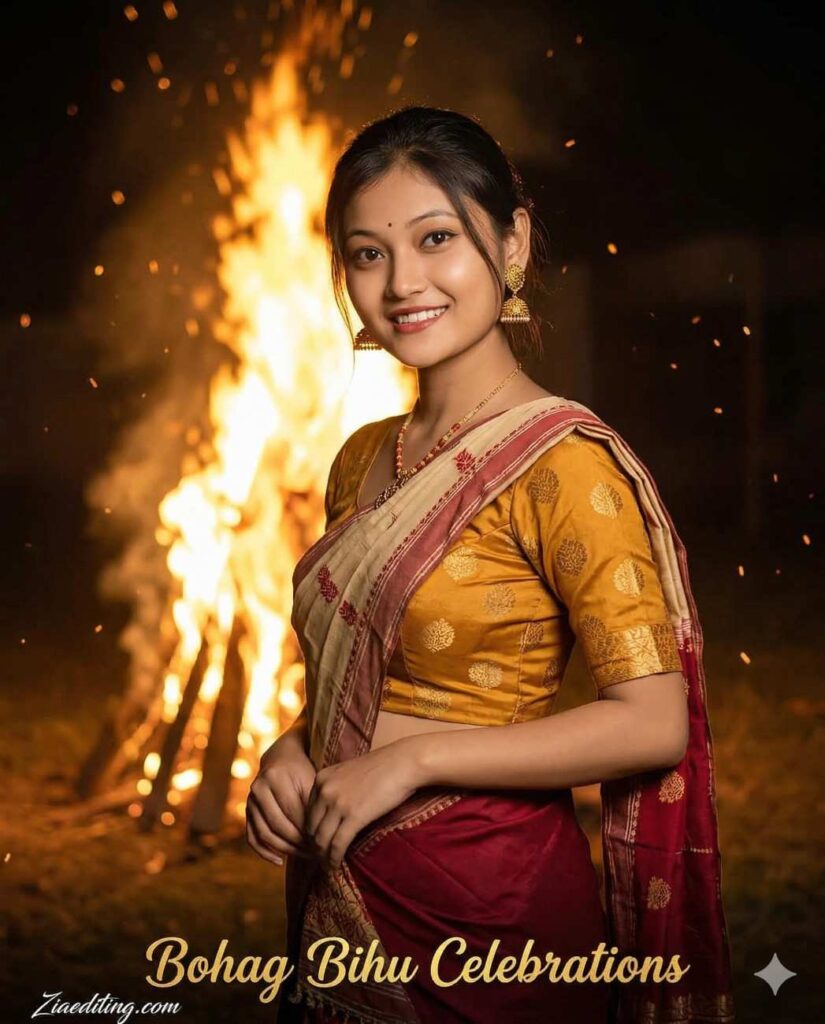
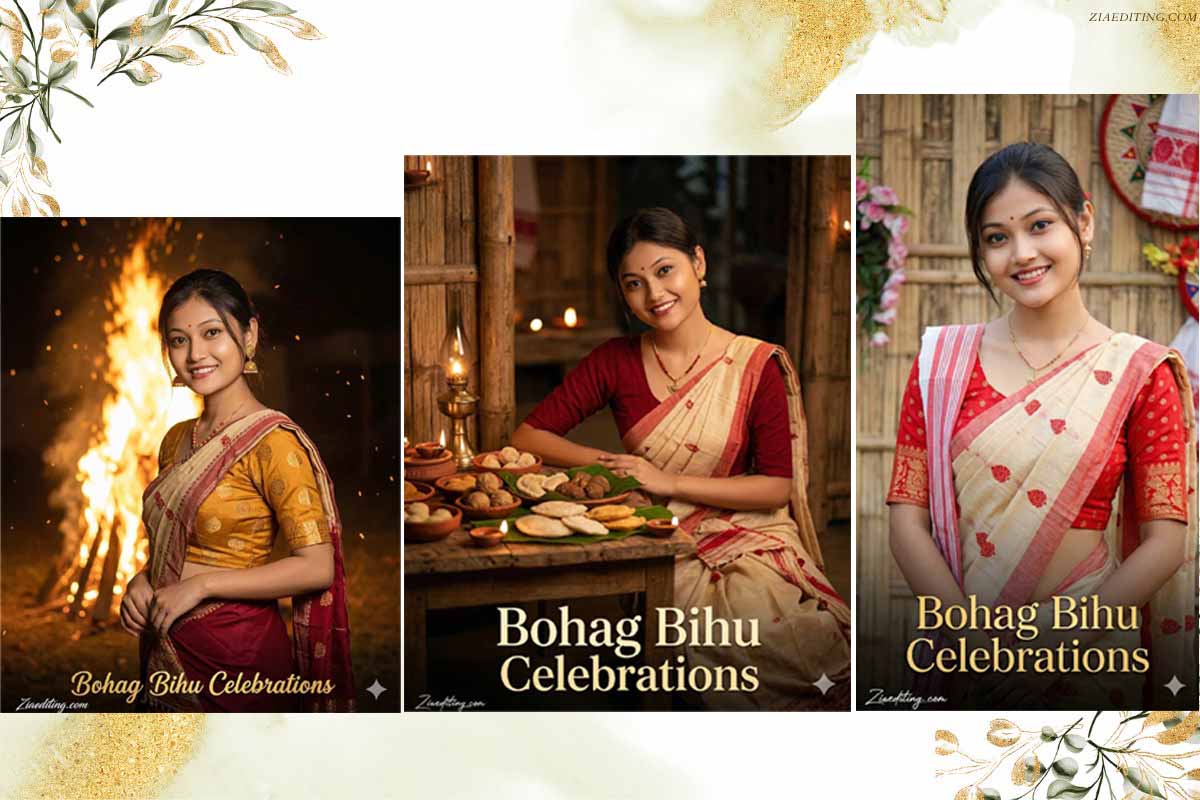
Create a high-resolution, ultra-photorealistic festive portrait where the uploaded reference image is used strictly and exclusively for facial identity preservation only. The woman’s facial identity must remain absolutely locked and unchanged, including exact face shape, eye spacing, eyelid folds, nose structure, lip curvature, smile expression, cheek volume, jawline, skin tone, and natural facial softness. No clothing, pose, lighting, background, or text style should be taken from the reference image—only the face identity is preserved. The scene depicts a traditional Bhohag Bihu night celebration, set outdoors with a large bonfire (meji) burning behind her. She stands slightly angled to the camera in a relaxed, confident stance, shoulders soft and posture upright, hands gently resting near her waist. Her head is subtly tilted toward the camera with a warm, calm smile that reflects festive joy rather than posed glamour. Ember sparks float naturally in the air, glowing softly without overwhelming the frame. She wears a traditional Assamese ensemble consisting of a mustard-yellow silk blouse with subtle woven motifs and a deep red mekhela draped elegantly, paired with a cream-and-red patterned chador resting over one shoulder. Gold jhumka earrings, a delicate layered gold necklace, and simple bangles complement the attire with cultural authenticity. Fabric texture appears handwoven and realistic, with gentle folds responding to gravity and movement. Lighting is warm and fire-lit, with the bonfire casting a golden glow on her face while maintaining natural skin texture and avoiding harsh highlights. The background remains softly blurred, with the fire structure clearly readable but not dominant. The camera framing is vertical, waist-up, eye-level, optimized for social media reels. At the bottom center of the image, elegant festive typography reads “Bohag Bihu Celebrations” in a warm golden serif-script blend, softly glowing to match the firelight. The text is clean, legible, and harmoniously integrated without overpowering the subject. TEXT / SIGNATURE Add “Ziaediting,.com” at the bottom-left corner, HANDWRITTEN SIGNATURE-STYLE typography, thin cursive strokes, small size, subtle premium elegance, white or soft off-white color.
Wears a light cream mekhela featuring red traditional for Bhohag Bihu
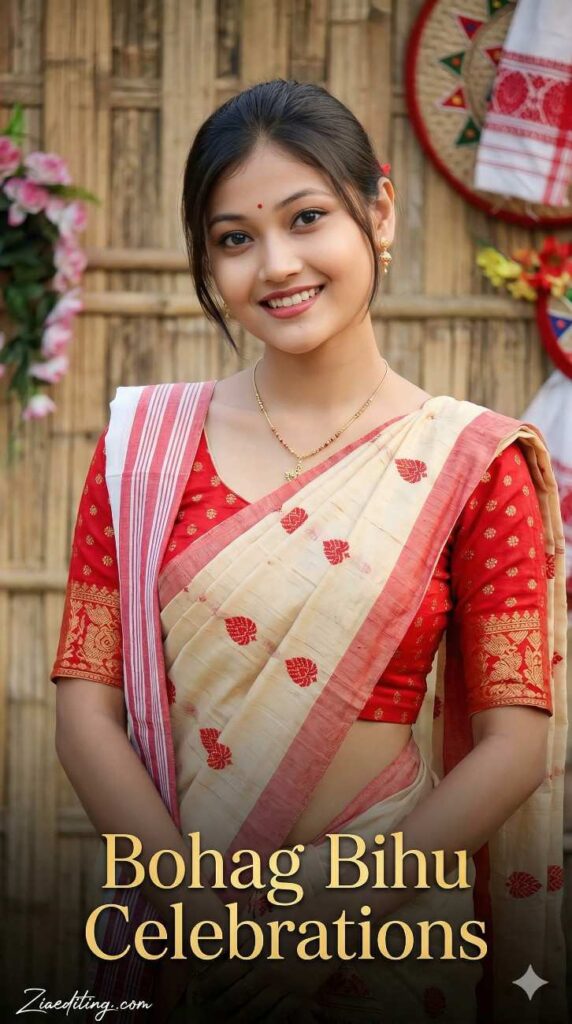
Create a high-resolution, ultra-photorealistic cultural portrait where the uploaded reference image is used only to preserve exact facial identity. Facial structure, expression, skin tone, and features must remain completely unchanged. The environment is a clean, festive Assamese outdoor setting, softly decorated with traditional elements such as bamboo textures, subtle floral accents, and warm ambient daylight. The woman stands comfortably facing the camera with shoulders relaxed, arms gently folded or resting naturally, conveying confidence and warmth without stiffness. She wears a light cream mekhela featuring red traditional motifs, paired with a red blouse with fine detailing. A red-and-white chador falls gracefully over one shoulder with natural fabric folds. Gold jewelry remains minimal and authentic, enhancing the cultural theme without distraction. Lighting is soft, balanced, and natural, avoiding harsh shadows or excessive glow while preserving realistic skin texture and depth. The camera captures her from mid-torso upward in a vertical composition suitable for reels and festive social media posts. Centered near the bottom of the frame, tasteful celebratory typography reads “Bohag Bihu Celebrations”, styled in elegant golden serif lettering with subtle decorative accents. The text is clearly legible, harmoniously integrated, and does not overpower the subject or cultural elements. TEXT / SIGNATURE Add “Ziaediting,.com” at the bottom-left corner, HANDWRITTEN SIGNATURE-STYLE typography, thin cursive strokes, small size, subtle premium elegance, white or soft off-white color.
The scene is set in a traditional Assamese interior decorated for Bhohag Bihu
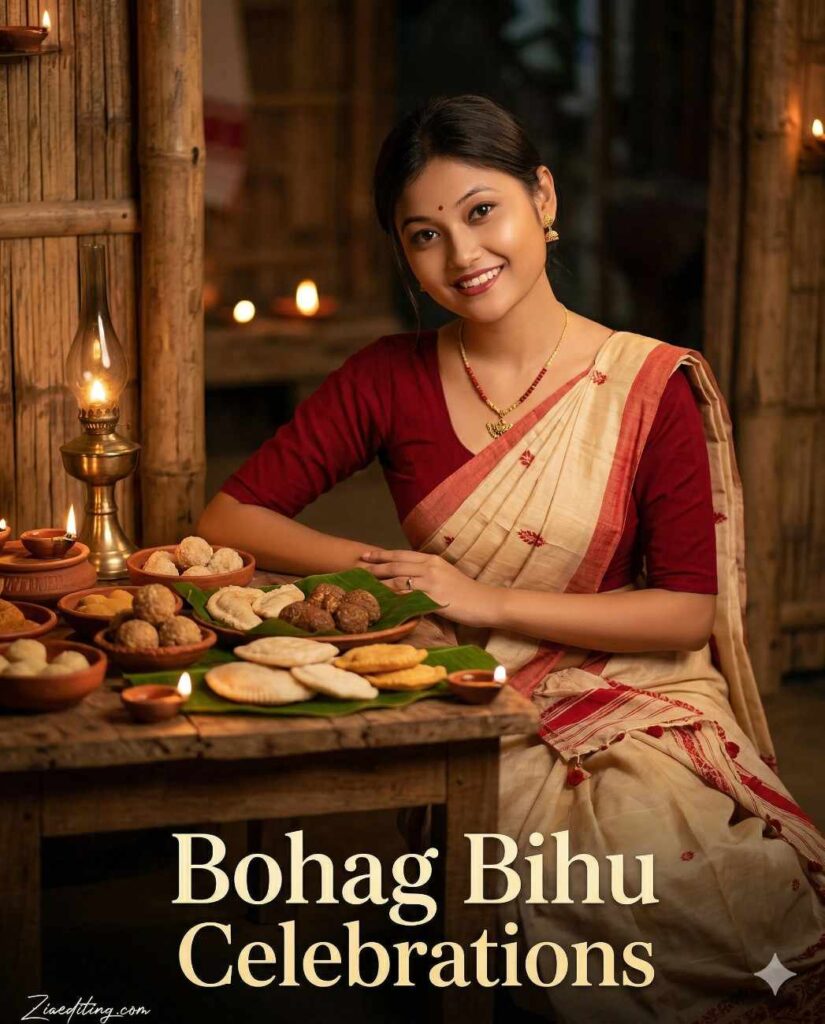
Create a high-resolution, ultra-photorealistic cultural portrait using the uploaded reference image only for exact facial identity locking. Facial proportions, expression, eyes, nose, lips, and skin tone must remain perfectly unchanged. Do not reuse outfit, background, or lighting from the reference image.
The scene is set in a traditional Assamese interior decorated for Magh Bihu, featuring natural bamboo textures, earthen lamps, and warm oil-lamp lighting that creates a cozy, festive ambiance. The woman is seated beside a rustic wooden table filled with traditional Bihu delicacies such as pitha, laru, and rice-based sweets, arranged neatly on banana leaves and clay bowls. Her posture is relaxed and graceful, with one forearm resting lightly on the table and fingers naturally curved, conveying calm celebration rather than a posed food photograph.
She wears a soft cream-colored mekhela with fine red woven accents, paired with a deep red blouse featuring minimal embroidery. A lightweight red-and-white chador drapes naturally over her shoulder and down her arm with realistic fabric folds. Jewelry remains traditional and understated, including small gold earrings, a slim necklace, and simple bangles, keeping focus on cultural authenticity and atmosphere.
Lighting is warm, intimate, and lamp-lit, producing soft highlights on the face and gentle shadows that preserve depth, skin texture, and realism. The background is detailed yet softly out of focus, enhancing immersion while ensuring the subject remains the visual anchor.
At the lower center of the frame, refined festive typography reads “Bohag Bihu Celebrations” in a classic Assamese-inspired serif font with subtle decorative flourishes. The text appears in a warm ivory-gold tone, harmonized with the oil-lamp lighting and placed cleanly without overlapping key visual elements. TEXT / SIGNATURE Add “Ziaediting,.com” at the bottom-left corner, HANDWRITTEN SIGNATURE-STYLE typography, thin cursive strokes, small size, subtle premium elegance, white or soft off-white color.
With the rapid growth of AI tools like Google Gemini and ChatGPT, AI Photo Editing Anup Sagar techniques through ziaediting have become more powerful than ever. Creating stunning AI-generated photos is now easier, but the real secret behind high-quality results is using the right prompts. That’s why Ziaediting.com focuses on sharing step-by-step guides, detailed prompts, and trending ideas for AI Photo Editing Ziaediting users.
On this website, you will discover high-quality prompts for portraits, gaming profiles, festival photos, Instagram-style edits, cinematic photography, and viral trending AI images. All prompts are specially designed for AI Photo Editing Anup Sagar workflows through ziaediting using Gemini and ChatGPT tools, ensuring sharp details, realistic lighting, and professional-quality outputs.
If you want to stay ahead in the world of AI photo editing trends in 2026, bookmark Ziaediting.com and explore our regularly updated collection of powerful AI prompts, editing tutorials, and creative ideas that help you transform simple photos into stunning AI masterpieces.
How To Use AI Photo Editing Prompts on Gemini and ChatGPT
Using AI Photo Editing Anup Sagar prompts through ziaediting on Gemini and ChatGPT is very simple. Just copy the prompt, upload your image (if needed), and generate stunning visuals within seconds. These prompts are perfect for creating cinematic portraits, travel photography, village scenes, and professional profile images with ease.
Step 1: Open Gemini or ChatGPT
Open Google Gemini or ChatGPT on your mobile phone or computer. Make sure you are logged into your account. Check that the app supports image upload and editing features.
Step 2: Upload Your Photo
Click on the upload or attachment icon to select your photo. Choose a clear image for better editing results. Wait for the image to fully upload before writing your prompt.
Step 3: Copy the AI Prompt
Select a prompt that clearly describes the changes you want. You can use ready-made prompts or create your own. Make sure the prompt includes style, background, and quality details.
Step 4: Paste the Prompt
Paste the copied prompt into the chat box. Ensure your image is already uploaded along with the prompt. You can also slightly modify the prompt to fit your specific photo.
Step 5: Generate the Image
Press send or generate to start the editing process. Wait a few seconds while the AI processes your request. Review the output and decide if further changes are needed.
Step 6: Download and Share
Download the edited image to your device. Check the quality before sharing it anywhere. Share your final image on social media or with others easily.
Using these prompts on Gemini and ChatGPT allows anyone to create stunning AI photos without advanced editing skills. Just copy the prompt, upload your photo, and let the AI generate beautiful cinematic, travel, mountain, or professional-style images in seconds.
For more trending AI photo editing prompts in 2026, keep visiting Ziaediting.com where we regularly share the latest and most powerful prompts for creators and editors. 🚀
Benefits of AI Prompts for Photo Editing
AI prompts have completely transformed the way people create and edit images. With tools like Google Gemini and ChatGPT, anyone can generate professional-quality photos simply by using the right prompt. Instead of spending hours editing manually, AI prompts allow creators to produce stunning visuals in just a few seconds. Here are some of the main benefits of using AI prompts for photo editing.
- Fast and Time-Saving Editing
AI tools like Google Gemini and ChatGPT can edit photos within seconds. You don’t need to spend hours using complex software. Just give a prompt and get instant results.
- No Professional Skills Required
Anyone can use AI photo editing without technical knowledge. Simple text instructions are enough to make changes. It is perfect for beginners and non-designers.
- High-Quality and Realistic Results
AI can enhance images with sharp details and realistic effects. It improves lighting, colors, and overall quality automatically. Results often look professional without manual effort.
- Endless Creative Possibilities
You can try different styles like cartoon, cinematic, or vintage. AI allows unlimited experimentation with ideas. Your creativity is the only limit.
- Perfect for Social Media and Profiles
Edited photos look attractive and eye-catching. Great for profile pictures, posts, and branding. Helps you stand out on platforms like Instagram and Facebook.
- Consistent and Professional Look
AI maintains a uniform style across multiple images. Useful for business, portfolios, or personal branding. Gives a clean and professional appearance every time.
Final Words
AI photo editing is evolving rapidly, and AI Photo Editing Anup Sagar through Ziaediting is becoming one of the most searched trends in 2026. In this article, we shared powerful prompts to help you create cinematic portraits, travel photos, mountain landscapes, village scenes, and professional edits easily.
At Ziaediting.com, our mission is to provide the best AI Photo Editing Ziaediting prompts, tutorials, and creative ideas so that beginners and professionals can generate unique and high-quality images quickly.
If you found this article helpful, bookmark Ziaediting.com for more AI Photo ziaediting prompts likes Anup Sagar prompts, trending edits, and creative inspiration.
Start using these prompts today and create stunning AI images that stand out. ✨
Start experimenting with these prompts today and create stunning AI photos that stand out from the crowd. ✨